Free · Unlimited · 100% local
An AI that speaks your language,
running on your machine
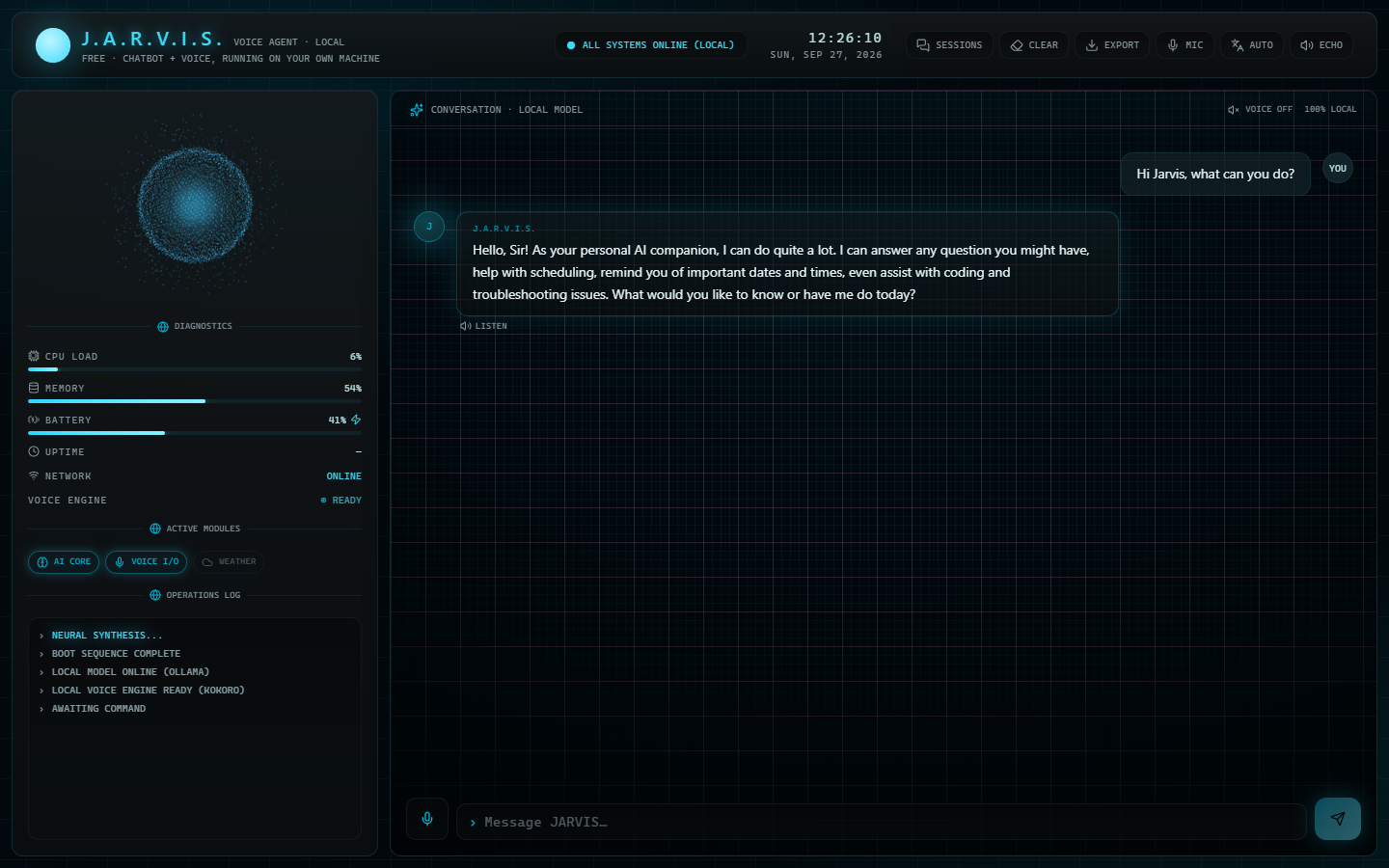
A free chatbot and advanced voice mode for Windows. Write or speak in your language — Jarvis replies in text and out loud, in that same language, with a native voice and his trademark dry wit. No account, no API key, no cloud, no telemetry.
Windows 10 / 11 · installer · requires the free Ollama engine

What's inside
Chat and advanced voice — in your language
This demo keeps two things from the full Jarvis assistant: the chat and the advanced voice mode. Nothing else, nothing to pay.
Speaks your language
Write in English, Italian, Spanish, French, Portuguese or Hindi — Jarvis detects it and replies out loud in that language, with a native voice. Fully local, no cloud translation.
Local chat
A local language model via Ollama, streamed word by word as he replies.
Advanced voice mode
A hands-free particle sphere with neural turn detection. Hold Space or tap the mic; he listens, thinks, and speaks back.
Dry British wit
A razor-witted butler with a deadpan sense of humour — the same character in every language.
Five English voices
Pick the English voice you like; other languages use their own native voice automatically.
Private by design
No accounts, no API keys, no telemetry. Your conversations and your voice stay on your computer.
Get started in minutes
Three steps to talking with Jarvis
Install Ollama
Install the free local AI engine from ollama.com, then pull the model once: ollama pull qwen2.5:3b
Download Jarvis
Grab JARVIS-Voice-Agent-Setup.exe from the releases page. The installer is per-user — no admin rights needed.
Run & talk
Launch Jarvis from the Start menu. Type in any supported language, or open voice mode and hold Space to speak.
Before you install
System requirements
Jarvis runs the AI and the voice on your own machine, so the experience depends on your PC. These are realistic minimums for the bundled model.
| Minimum | Recommended | |
|---|---|---|
| OS | Windows 10 / 11, 64-bit | Windows 11, 64-bit |
| CPU | Any modern 64-bit (x64) | Recent multi-core |
| RAM | 8 GB | 16 GB |
| Free disk | ~4 GB | 6 GB+ |
| GPU | None (runs on CPU) | WebGPU-capable (NVIDIA / AMD / Intel) |
| Internet | Setup only | Offline after setup |
Local. Private. Yours.
Nothing you say leaves your computer
- No accounts
- No API keys
- No cloud
- No telemetry
- No auto-update
The model runs locally through Ollama and the voice runs on-device. The only network use is the one-time model downloads and your own prompts going to Ollama on your machine.
Ready to meet Jarvis?
Free, unlimited, multilingual, and entirely yours. Download it, run it, and start talking.